


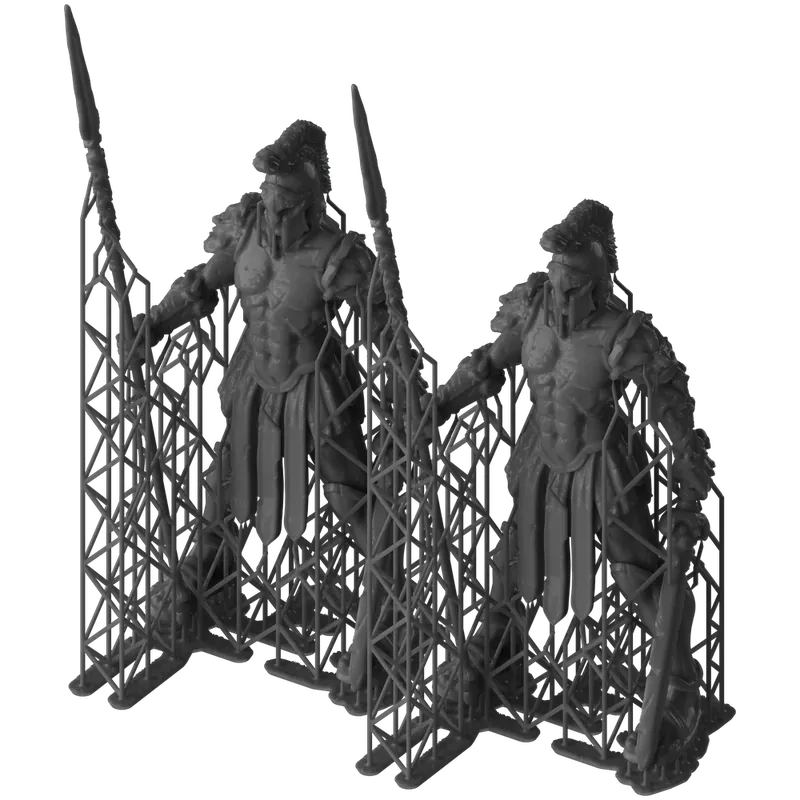
Take A
Form Studio 1
In frame: figurines, scale models, concept models, prototypes.
20.0 × 12.5 × 23.5 cm
35 µm · 6 mW/cm²
up to 130 mm/h
9
no
UL GREENGUARD Gold
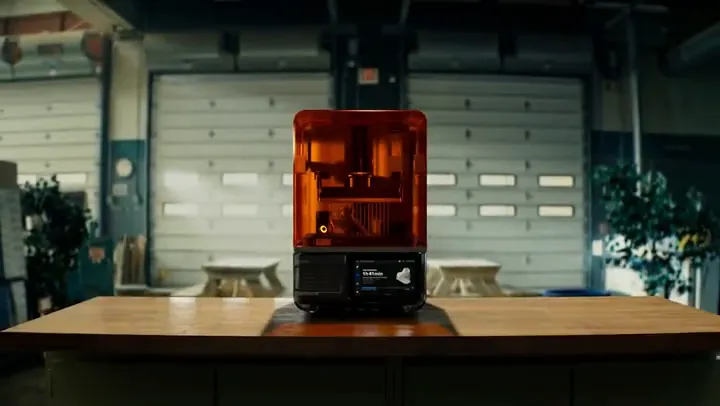
Formlabs premiere · 14 Oct 2026
For workshops, studios and design engineers: miniatures, enclosure prototypes, clear covers and casting patterns.
Each layer cures in a single exposure, through a mask with 35 µm pixels. Layers 25–250 µm, build volume 20.0 × 12.5 × 23.5 cm.
from 43,354 UAH
MSLA Low Force DisplayLFD Build 20.0 × 12.5 × 23.5 cm Size 34.2 × 31.5 × 50.2 cm · 14.3 kg
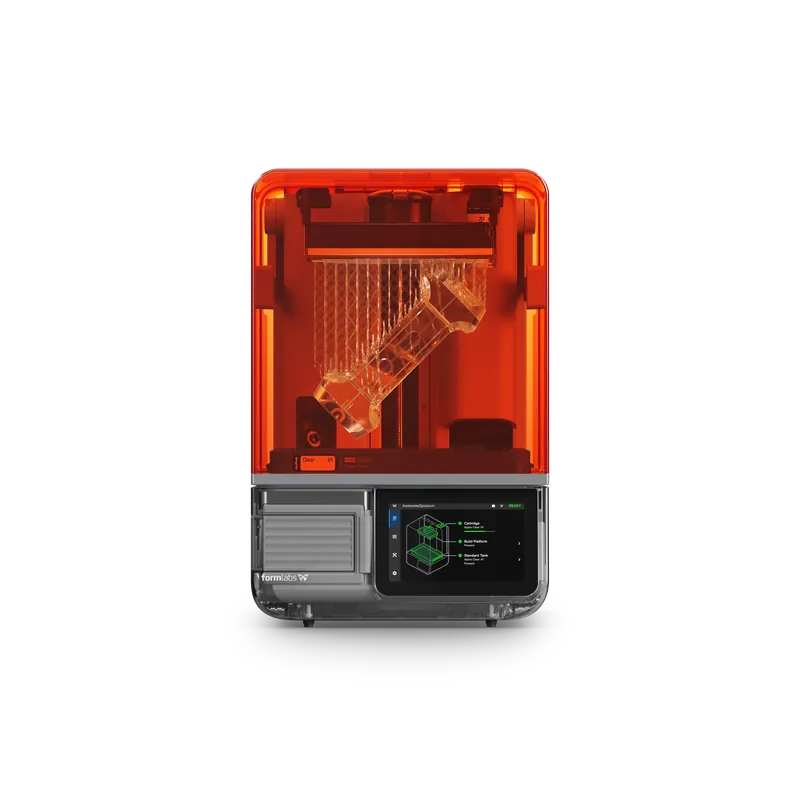
from 43,354 UAH
Starring
Miniatures, enclosure prototypes, clear covers and casting patterns — made right on your desk.
Two packages: Basic with the standard Build Platform, Flex with Build Platform Flex. Both include a Resin Tank; resin is sold separately.
Scene 1 · Take 1 — the final shot
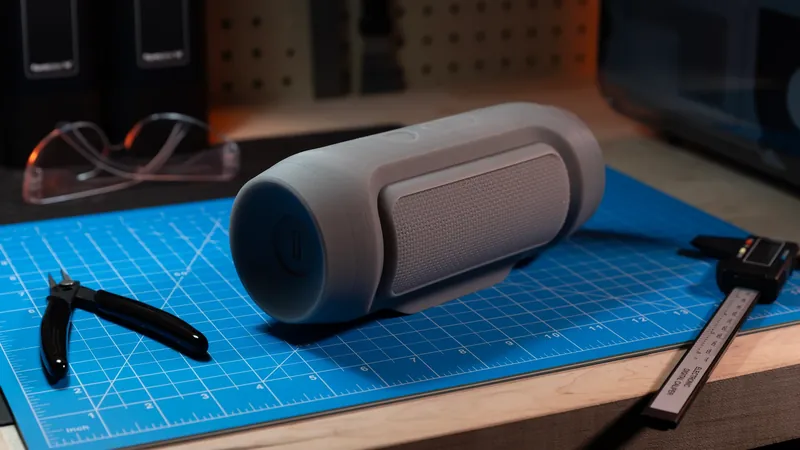
A snap-fit enclosure, a soft pad, a pattern for metal casting. For parts like these, Form Studio 1 has three advanced resins. Here is what they produce.

Snap-fit enclosureTough 1500 Resin V2Formlabs clip
Prints only in Resin Tank Pro, never in the standard tank, and does not work in Form 4. Wash finished parts in IPA ≥90%. Formlabs recommends a 10 min wash and a 25 min post-cure in Form Studio Wash+Cure.
Prints in the standard Resin Tank that comes with the printer. The pattern burns out of the mold and metal is poured into the space it leaves. That is how jewelry and precise engineering parts are cast.
Prints in the standard Resin Tank. Formlabs recommends washing in two 5 min cycles, and lists Resin Washing Solution as incompatible with its flexible resins. This one is a photo, not a clip: Formlabs’ clip of this resin shows other Formlabs printers, not Form Studio 1.
Scene 1 · Take 2 — close-up
The loupe travels across a photo of the part and magnifies it 2.5×. The “Assembled” tab shows a Formlabs clip: a harmonic drive built from printed parts.
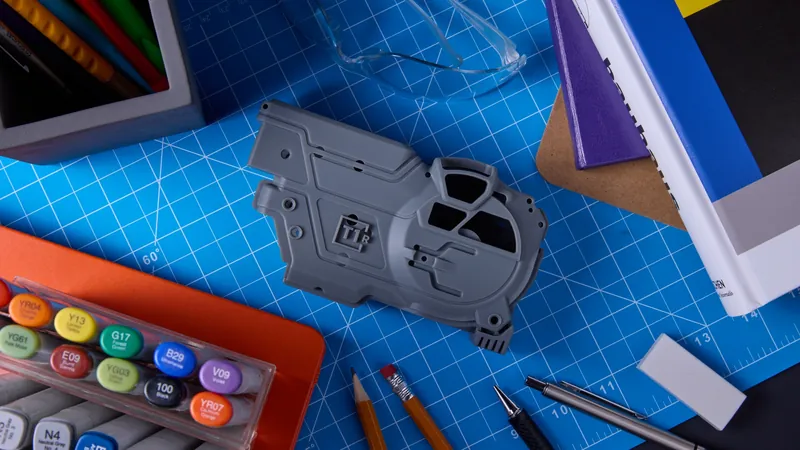
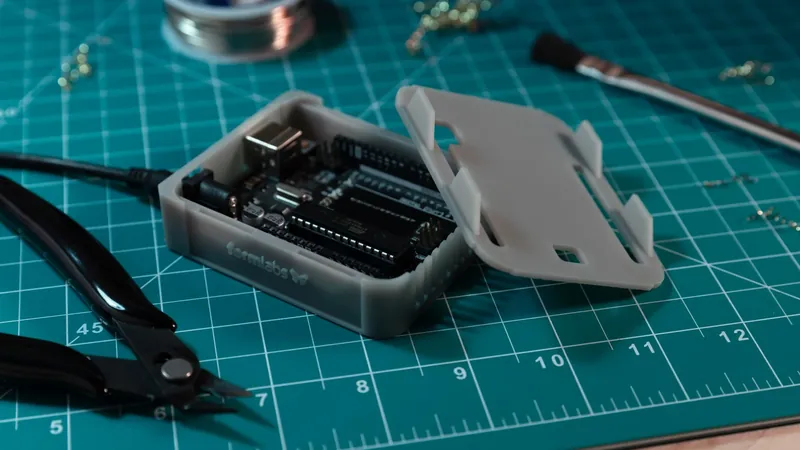
PrototypeAlpha Grey Resin100 µm
Ribs, holes and raised lettering on a prototype enclosure. Formlabs’ caption for this shot: Alpha Grey resin, 100 µm layers.
The ring gear, flange and housing of this harmonic drive are separate printed parts, assembled into one unit. Formlabs’ caption for the clip: Alpha White resin, 100 µm layers.
XY tolerance1 down to ±0.08 mm · 35 µm pixels with anti-aliasing
1 Lower limit of the XY tolerance, as stated by Formlabs.
Scene 2 · Take 1 — how it was printed
Below the tank sit the light unit and the LPU, a display that works as a mask. 405 nm light shines through it, and resin cures only where pixels are open. Then the platform lifts away from the tank floor and rises for the next layer.
Pixel 35 µm · layers 25–250 µm · build volume 5.9 L
405 nm LEDs shine up through lenses and the LPU mask, delivering 6 mW/cm² at the print plane. Owners can replace the backlight unit and the LPU themselves.
A texture on top of the LPU lowers peel forces on the part, the tank and the printer itself. When smudges appear on the texture, it is wiped with IPA.
Heaters under the tank bring the resin to 25–45 °C, depending on the material. The LevelSense sensor holds the resin level and the cartridge tops up the tank on its own. Tough 1500 and third-party resins need Resin Tank Pro.
Scene 2 · Take 2 — timing
That is Formlabs’ maximum for Alpha Fast at 250 µm layers, not the speed of every print: 130 of the 235 mm Z axis, or 55%. Formlabs puts a typical part at up to 53 mm tall, and most of those print in under 2 h2.
Scene 2 · Take 3 — behind the scenes
PreForm already holds the settings for every validated resin, the cartridge tops up the tank, and the camera shows the print live on your phone.
Wide shotFormlabs clip
PreForm already has print settings for each of the nine validated resins. Pick the material and the layer height, and skip exposure tuning altogether.
The cartridge sits in a single slot and refills the tank through a valve. An ultrasonic LevelSense sensor watches the level, and the print starts as soon as the level is right.
Build Platform Flex bends, so parts come off without a scraper. It comes with the Flex package; Basic ships with the standard aluminum platform.
In PreForm you set orientation, supports and layer height, then choose “Print Now” or add the job to the queue. You can confirm the start on the touchscreen.
A built-in 1920 × 1080 camera takes photos after printing, records time-lapses and lets you check in through Form Mobile. A cap from the box covers the lens.
Scene 2 · Take 4 — the edit suite
PreForm, Form Mobile and Dashboard are free Formlabs software. The printer connects over Wi-Fi, Ethernet or USB‑C.
PreFormFormlabs screen recordinginset: Form Mobile
Opens STL, OBJ and 3MF files, generates supports and fills in the settings for the resin you choose. Then “Print Now” or the job queue.
Formats STL · OBJ · 3MF · price free
Form Mobile: print status, a live camera view, time-lapses, notifications and remote printing from your phone. Requires internet access.
Dashboard runs in the browser and shows your printers, resin usage and job history.
Scene 3 · Take 1 — props
1 L cartridges, each with print settings already in PreForm. All six run in the standard Resin Tank from the box; they do not work in Form 4.
Miniatures and models with fine surface detail.
50 µm
13 mm/h
Tensile strength, MPa 40 / 44 · HDT @ 0.45 MPa 49.8 °C · Shore hardness 70D
3,053 UAH
For parts you need today: 90 mm/h on average, and up to 130 mm/h with 250 µm layers (Alpha Fast · 250 µm, per Formlabs).
150 µm
90 mm/h
Tensile strength, MPa 46 / 54 · HDT @ 0.45 MPa 59.0 °C · Shore hardness 71D
2,141 UAH
Matte gray with crisp fine features and accurate dimensions, for prototypes and parts that have to fit together.
100 µm
40 mm/h
Tensile strength, MPa 43 / 50 · HDT @ 0.45 MPa 55.4 °C · Shore hardness 74D
2,438 UAH
Clear enclosures and covers that let you see what is inside.
100 µm
40 mm/h
Tensile strength, MPa 38 / 52 · HDT @ 0.45 MPa 57.1 °C · Shore hardness 70D
2,438 UAH
Matte white for display-ready parts with crisp fine features that fit together.
100 µm
40 mm/h
Tensile strength, MPa 35 / 45 · HDT @ 0.45 MPa 51.7 °C · Shore hardness 65D
2,438 UAH
Matte black for display-ready parts that fit into assemblies.
100 µm
40 mm/h
Tensile strength, MPa 42 / 46 · HDT @ 0.45 MPa 55.5 °C · Shore hardness 72D
2,438 UAH
All six resins print in the standard Resin Tank that ships with the printer. When you switch resins, change the tank together with the cartridge.
Add resins to your kit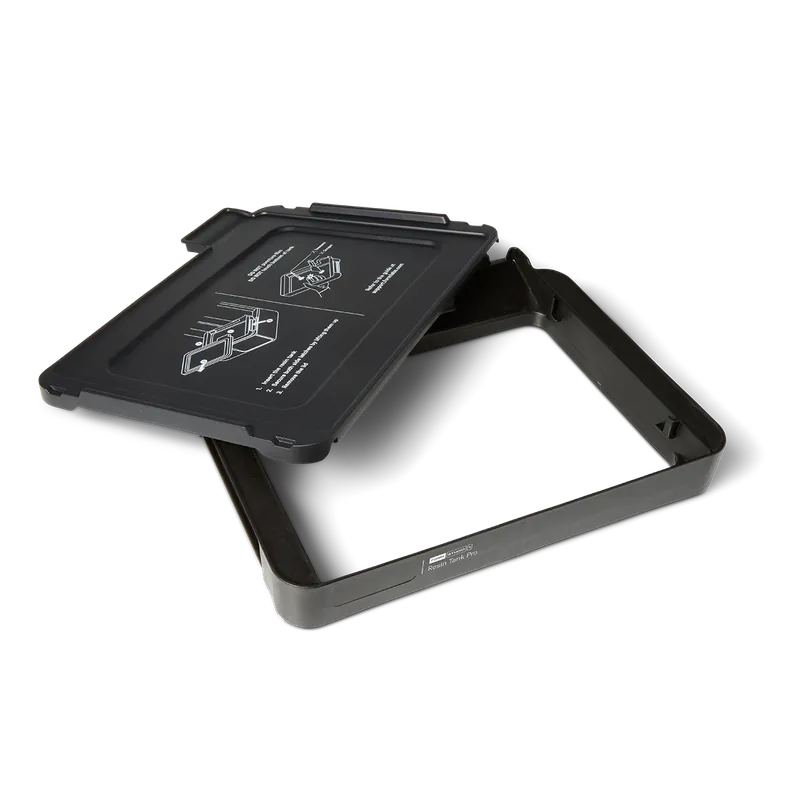
Scene 3 · Take 2 — off script
Third-party resins print in Open Material Mode, with Resin Tank Pro. Most other Formlabs resins are compatible too, with Resin Tank Pro and settings you tune yourself.
The Formlabs manual warns that third-party materials can damage the printer. Tough 1500 Resin V2 also prints only in Resin Tank Pro, so the configurator adds the tank for you.
5,650 UAH
Scene 4 · Take 1 — after the print
Form Studio Wash+Cure washes and post-cures parts in one unit. For Alpha resins, the Formlabs TDS gives a 5 min wash and a 5 min post-cure.
Isopropyl alcohol (IPA) at 90% or higher. After washing, let the part dry for at least 30 min. Take parts taller than 200 mm off the platform before washing.
Post-curing gives the resin its full mechanical properties. The part must be fully dry. For Tough 1500 Resin V2, Formlabs recommends 25 min.
In the configurator, this station is the Complete set. The alternative is Form Wash V2 plus Form Cure V2, two separate units: the Professional set.
Choose a set in the configuratorScene 4 · Take 2 — the air in the room
The VOC Extractor connects to the printer’s rear port with a hose and filters the air from the print chamber. The chart shows a Formlabs measurement in a sealed box: Form Studio 1 with Alpha resins, without and with the VOC Extractor.
 UL GREENGUARD Gold — with Alpha resins and the VOC Extractor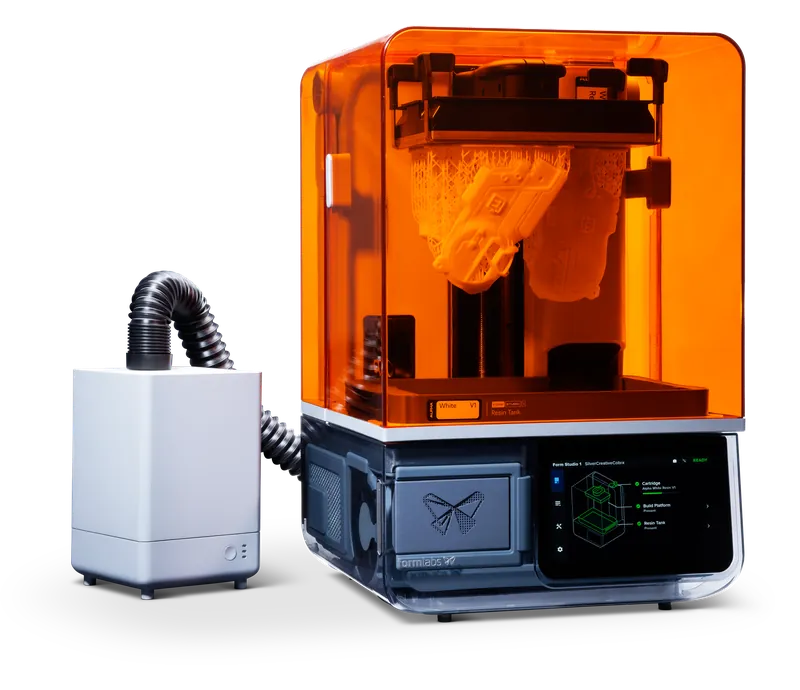
Run the VOC Extractor fan at speed 2, as the manual specifies for Alpha resins. The two carbon filters are rated for 336 h of use, and the screen reminds you when to change them.
Alpha resins passed ISO 10993-5 and 10993-10 testing (per the TDS), but that is not medical biocompatibility. Wear nitrile gloves and safety glasses when handling resin and solvent.
12,125 UAH
Scene 4 · two takes
The part decides, not a spec number. Both takes follow the rows of Formlabs’ comparison table.
Take A
In frame: figurines, scale models, concept models, prototypes.
20.0 × 12.5 × 23.5 cm
35 µm · 6 mW/cm²
up to 130 mm/h
9
no
UL GREENGUARD Gold
Take B
In frame: tooling, end-use parts, filled resins.
20.0 × 12.5 × 21.0 cm
50 µm · 16 mW/cm²
up to 100 mm/h
22
yes
—
Both have: MSLA technology, a 7″ touchscreen, a camera, Wi-Fi · Ethernet · USB‑C, resin heating up to 45 °C, PreForm and Open Material Mode.
Scene 4 · the kit
Both packages include the Graphite printer, a Resin Tank and a build platform. The post-processing sets match Formlabs’ own: Complete and Professional. Priced items go to the cart in one click; if your kit includes an item priced on request, we will send you a quote.
Credits
Questions from the workshop
Form Studio 1 Basic: 43,354 UAH. Form Studio 1 Flex: 46,282 UAH. The price covers the printer, a Resin Tank and a build platform (Build Platform with Basic, Build Platform Flex with Flex). Resin, Wash+Cure and the VOC Extractor are sold separately: build the full kit and see its total in the configurator on this page.
The printer and the Resin Tank are the same. Basic comes with the standard aluminum Build Platform; Flex comes with Build Platform Flex, whose flexible surface lets you remove parts without a scraper. Neither package includes resin.
According to the Formlabs manual, the standard package includes the printer, a Resin Tank, a build platform (Build Platform or Build Platform Flex), a power cable, a USB-C to USB-A cable and accessories, including nitrile gloves, plastic and metal scrapers, flush cutters, sanding sticks, a camera lens cap, a drip tray, hex keys, platform alignment shims and the LevelSense calibration tool. Resin is not included, and neither is an Ethernet cable.
Formlabs starts shipping Form Studio 1 on 16 November 2026. To confirm the date for your kit, call +38 095 66 168 66.
Nine materials are validated: six Alpha resins (Model, Fast, Grey, Clear, White, Black), Tough 1500 Resin V2 for Form Studio 1, Flexible 80A Resin V2 and True Cast Resin. Alpha resins were developed specifically for Form Studio 1 and do not work in Form 4. Most other Formlabs resins are compatible too, with Resin Tank Pro and settings you tune yourself; third-party resins print in Open Material Mode.
The standard Resin Tank is optimized for Alpha resins, Flexible 80A Resin V2 and True Cast Resin. Tough 1500 Resin V2 and resins in Open Material Mode print only in Resin Tank Pro. When you switch resins, change the tank together with the cartridge.
According to Formlabs, the UL GREENGUARD Gold certification applies to printing with Alpha resins and the VOC Extractor; the manual specifies fan speed 2. For other resins, follow the material’s safety data sheet. The room should be at 18–28 °C while the printer runs.
The build volume is 20.0 × 12.5 × 23.5 cm (5.9 L), layers are 25–250 µm and the pixel is 35 µm with anti-aliasing. Formlabs states XY tolerances down to ±0.08 mm. Parts taller than 215 mm come out together with the tank.
The printer measures 34.2 × 31.5 × 50.2 cm and weighs 14.3 kg. For easy access, the manual recommends a 36 × 33 × 79 cm space. Power: 100–240 V, 50/60 Hz, up to 3 A, 300 W; the manual calls for a dedicated outlet and circuit that can supply 3 A. No Ethernet cable is included: for a wired connection, use your own shielded cable, Cat5 or better.
PreForm for print preparation, plus Form Mobile and Dashboard for monitoring, all free. The printer connects over Wi-Fi, Ethernet or USB-C. The built-in 1920 × 1080 camera takes photos and time-lapses; a cap from the box covers the lens.
In Form Studio Wash+Cure, or in Form Wash V2 plus Form Cure V2; both options are in the configurator. Use IPA at 90% or higher. Wash Tough 1500 Resin V2 parts only in IPA ≥90%: Formlabs does not recommend Resin Washing Solution for this resin. Formlabs lists Resin Washing Solution as incompatible with its flexible resins.
Formlabs covers Form Studio 1 with a 1-year limited warranty, and we handle warranty service. We deliver across Ukraine and provide setup and operator training. A Pro Service Plan for 1 or 3 years is available on request. Keep the original packaging: according to the Formlabs manual, it is required for warranty service.
Final shot
Describe it in your request: size, purpose, quantity. We will put together a kit for that part, then call or message you back.
Get kit advice